2020年11月30日星期一

How to using Piwis Tester II code Porsche rear end electronics


V18.100 Piwis Tester II Diagnostic Tool For Porsche With CF30 Laptop High Quality

Top 7 Reasons to Get Porsche Piwis Tester II
1. Software Version: V18.100 (Return back the hdd for update,or can update directly, update cost is different according to the QC number,if the last three numbers of your QC mark is 137,hdd cost is70USD,if the last three numbers of your QC mark is 098, hdd cost is 176USD, contact customer sevice for more details )
2. Laptop: CF-30 (Second Hand)—Software is inside the Hard Drive. No need Installation
3. Support Languages: Russian, English, French, Spanish, Italian, German, Portuguese, Japanese, Chinese, Dutch
4. Update Method: By HDD (Need to return hard disk to us for upgrade, or you can just buy from us another hdd with newest software) Software contains operating system win XP only. you just need to insert into your computer and use it.
5. Requires Online Modules: (F BCM R BCM DME ELV SRS KEY)
6. Bluetooth, GPS and Navigation Function are available. But need to pay for the authorization of them.
7. Support Key Programming function, cost 220USD per time (you need consult our customer sevice first with the type and year of your car)

Notice:
1. Please do not take out the hard disk from CF-30 laptop and install on other laptops, it may cause data lose and hard to recovery.
2. Piwis Tester II works with Porsche cars year after 2005
3. when you connect with device,you will get an indication “Found New Hardware Wizard”,make sure you click “next” to continue installing the driver, ortherwise the piwis 2 cannot be recognized by computer
piwis 2 Found New Hardware Wizard

Piwis Tester II for Porsche Functions:
1. Read/clear error code, catch data stream, computer programming match, component test, maintenance information consult, components site drawing, wiring diagram.
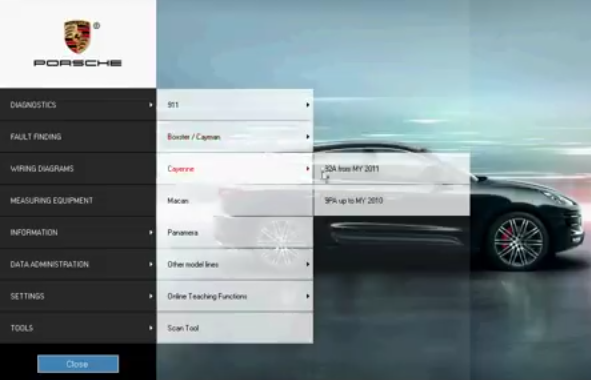
2. Porsche Piwis Tester II works with car year after 2005 and latest Porsche cars. It is equipped with the Panasonic laptop and original software for the test. Porsche Piwis Tester II can help you diagnose and program the most new and old kind of Porsche cars. For example: 911(997)(991), Boxster/Cayman, (987), Cayenne up to MY 2010, Cayenne from MY 2011 and Panamera.
3. New Panamera can only be diagnosed by using Porsche Piwis Tester II. Based on current project planning, all earlier vehicle models will gradually be changed over to the new Porsche Piwis Tester II by the end of 2010. Porsche Piwis Tester I must be used for older models in the Porsche workshop until end of 2010.
4. Support for Porsche. Piwis Tester I will no longer be available once the earlier diagnostic programs have been transferred to Porsche Piwis Tester II.
5. When Porsche Piwis Tester II is distributed, it will contain one basic piece of software. This is necessary in order to start and configure the tester.

Piwis Tester II Support Systems:
ENGINE automatio transmission, air-conditioner, SRS, ABS, ASR, MPL, GM, Original antitheft System,KEYLESS GO system, OBDII system.
29.1

29.2

29.3

29.4

29.5

29.6

29.7

2020年11月3日星期二

Factory Passwords on Caterpillar ET Software


Factory Passwords on Caterpillar ET Software

Cat ET can be used to view certain parameters that can affect the operation of the engine. The Cat ET can also be used to change certain parameters. The parameters are stored in the ECM. Some of the parameters are protected from unauthorized changes by passwords. Parameters that can be changed have a tattletale number. The tattletale number shows if a parameter has been changed.

Always document the parameters and the settings that are programmed into the engine control. A permanent record is essential when customer programmable parameters must be recovered.
12.1
Passwords
Passwords are part of a security system that helps to prevent unauthorized reprogramming of certain parameters. Passwords prevent unauthorized erasing of logged events. Passwords allow the factory to control access to engine calibration parameters. Passwords allow the customer to control access to certain programmable engine parameters.

Customer Passwords
Customer Passwords allow the customer to restrict access to parameters that are programmable by the customer. The Customer Passwords cannot be longer than eight characters. The customer has the option of entering one or two Customer Passwords.
12.2
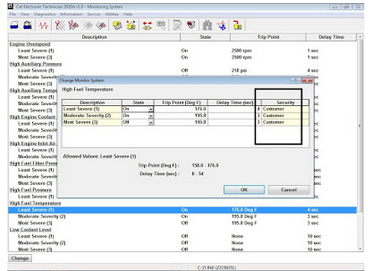
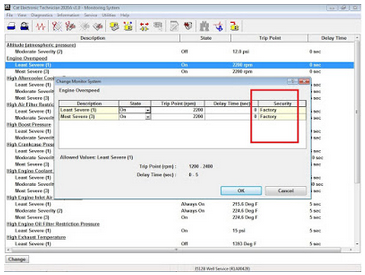
Note: If the owner loses the owner Customer Passwords, the owner will not be able to program parameters that are protected by Customer Passwords. Customer Passwords can be read if a factory password is obtained. Use those customer passwords to program parameters that have been protected by the Customer Passwords. But usually, you can directly edit the parameter as range value (Security: Customer).

Reset/View Customer Passwords
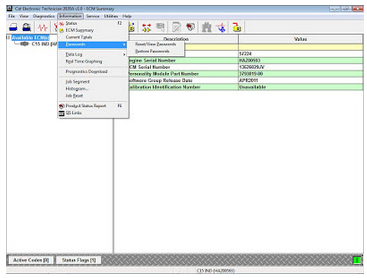
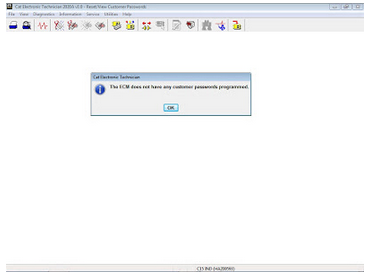
The “Reset/View Passwords” function provides two randomly generated customer passwords. This function allows a service technician access to customer password-protected parameters without divulging the actual customer passwords, which may be the same for an entire fleet. The original passwords may be restored through the “Restore Passwords” function when the temporary random passwords are no longer needed.
12.3
12.4
Factory Passwords
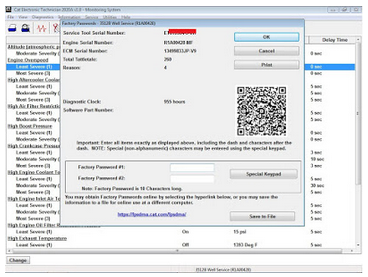
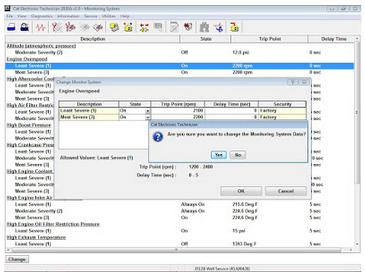
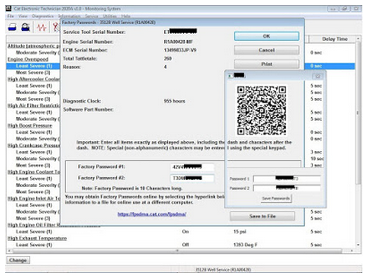
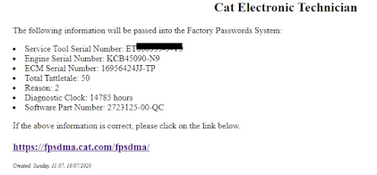
Factory Passwords are required to clear any event code. Factory Passwords are required to change certain parameters such as full load setting (FLS). The Factory Passwords restrict changes to authorized personnel. When the correct Factory Passwords have been entered, the changes can then be made. In order to obtain the proper Factory Passwords, certain information must be given to an authorized Caterpillar dealer. Since the Factory Passwords contain alphabetic characters, Cat ET can be used to perform this function. In order to obtain the Factory Passwords, proceed as if you already have the Factory Passwords. If the Factory Passwords are needed, Cat ET will request the Factory Passwords. Cat ET will display the information that is required to obtain the Factory Passwords (as Figure 1.1 above).
12.5

Note: The old interlock code is required to change the interlock code on a used ECM. A new interlock code is also required to change the interlock code on a used ECM.

The Cat ET screen for factory passwords will display the following parameters (as Figure 1.10 below):
Serial Number of the ECM
Engine Serial Number
Serial Number for Cat ET
Reason Code
Total Tattletale Number
Note: The factory passwords may only be used for one programming session. A different set of factory passwords will be required after you exit the Cat ET screen. A different set of passwords will be required to change information on another Cat ET screen.
12.6
12.7
12.8
Feel FREE to Contact Us, if the Factory Passwords are needed (All Cat ET version).
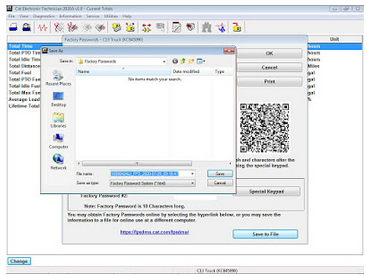
Click on “Save to File” button, then send your “html” file to my e-mail (for 10 digits Factory Passwords only).
12.9
12.10
Note: Changing the parameters that are protected by Factory Passwords may cause your Caterpillar warranty to be voided.

2020年11月2日星期一

HOW TO SET UP PIWIS 2 WIFI CONFIGURATION


Wifi Piwis 2 is Samtec hardware support wireless connection for Porsche Piwis tester 2 diagnosis function. The client needs Porsche Piwis Tester 2 Scanner wifi configuration after-sales service usual. Below Autonumen.com share how to set up Wifi Piwis Tester 2.

for Porsche diagnostic & programming, but I don’t know how to set up the wireless configuration. Some client bought wifi Piwis tester 2 for Porsche diagnosis, need help for wifi set up.

Wifi Piwis Tester 2 Wireless Configuration Guide:

First of all, need check the Rounter configuration, get the router id and password can set up by customer self.

Secondly, connect Porsche diagnostic tool Piwis 2 to Laptop via USB cable, connect power adapter as well

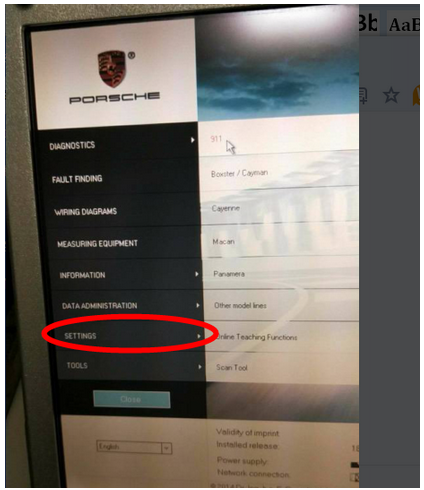
Then, Check Setting as following show

1.1
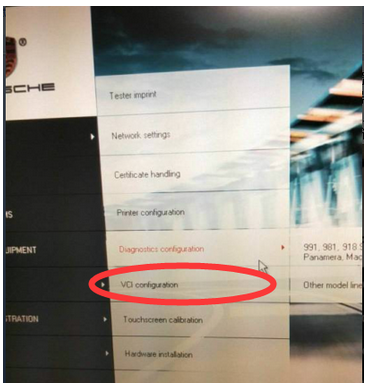
The fourth step: click & enter the “VCI configuration”

1.2

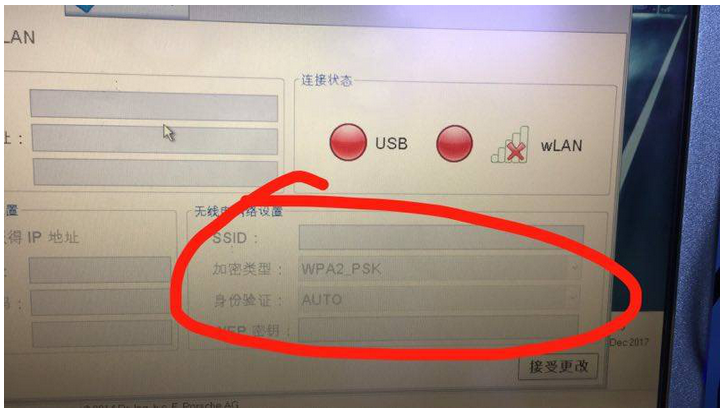
And then, enter the Porsche Piwis 2 WIFI

1.3

account into SSID blank, and password into WEP blank, then save the setting.

1.4

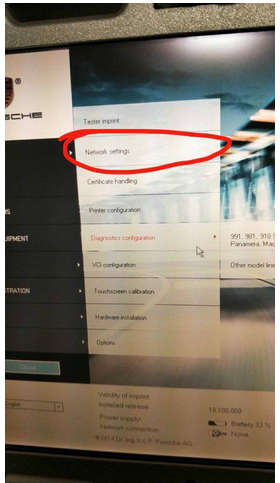
Furthermore, back to Restart the Setting – Network Setting Porsche

1.5

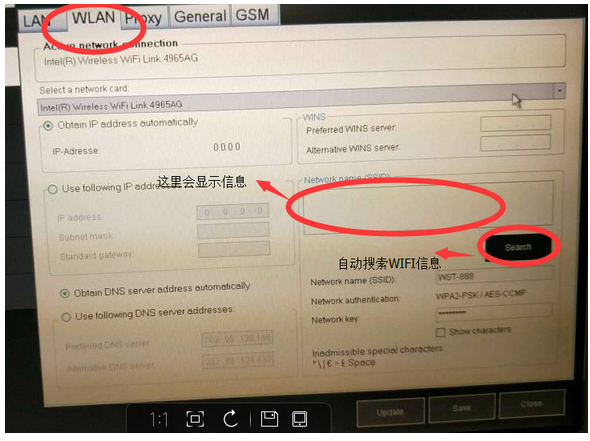
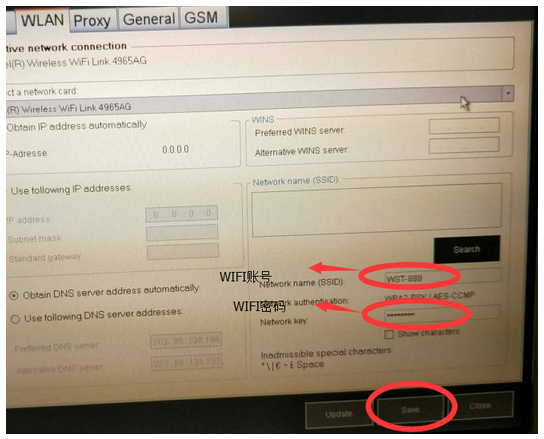
Then, choose WLAN, then check
Search, then will search wifi information automatically

1.6

enter the WIFI password as following, then choose Save.

1.7

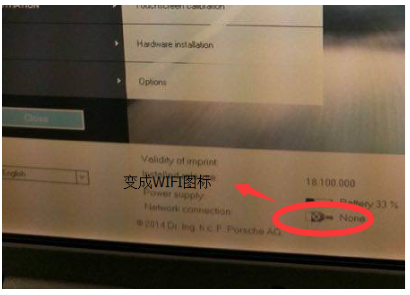
Finally, Wifi configuration all ok, it will display the Wifi