2026年1月26日星期一

piwis 4 vci 2


US$328 - Porsche Piwis 4 Diagnostic Tool Piwis IV Scanner With V42.950.00 + V38.250 Software


PIWIS IV (Integrated Workshop Information System IV) is an advanced diagnostic system specifically engineered for modern vehicles. It provides comprehensive support for 2025 model-year vehicles, including the latest releases, and fully supports new electric vehicle platforms, reflecting the manufacturer’s ongoing commitment to expanding its EV lineup. In addition, PIWIS 4 incorporates SFD (Schutz Fahrzeug Diagnose) diagnostic protection technical support, enhancing security, system integrity, and the overall reliability of diagnostic operations. As a result, PIWIS IV is a cutting-edge diagnostic solution designed to meet the evolving demands of professional technicians and service centers.

PIWIS 4 Diagnostic Tool – Main Functions

1. Diagnostics Application
The Diagnostics application enables communication with vehicle control units. Technicians can search for and identify control units, perform coding and programming, read event memory data, execute complex processes, modify drive links, and run service routines.

2. Guided Fault Finding (GFF)
GFF generates a structured diagnostic test plan based on fault codes. It provides a recommended testing sequence, along with suggested tests, relevant documentation, and wiring diagrams to support accurate and efficient troubleshooting.

3. Actual Values / Input Signals
This function displays real-time actual values and input signals from control units, offering insight into the current operating status and sensor data of vehicle components.

4. Drive Links / Tests Function
The Drive Links/Tests function displays control unit drive links, allowing users to adjust parameters and execute test routines for individual control units, supporting in-depth diagnostics and validation.

5. Maintenance / Repairs Function Group
This function group provides access to control unit–specific procedures that cannot be universally implemented through ODX data. It supports specialized maintenance and repair operations tailored to individual control units.

6. Coding / Programming Function Group
This function group allows users to write coding values either automatically or manually. Available coding modes include Automatic Coding, Manual Coding, Customer-Specific Settings, and Factory Settings.

7. Logging
The Logging function records diagnostic, coding, and programming activities, enabling traceability and documentation of system changes and diagnostic procedures.

8. Filter
The Filter function allows users to manage the display of installed control units within the vehicle. Filters can be created, edited, activated, deactivated, or assigned to streamline diagnostics and data analysis.

9. Wiring Diagrams Application
This application provides detailed graphical wiring diagrams, illustrating physical connections and circuit layouts to help technicians understand the vehicle’s electrical architecture and efficiently diagnose wiring-related issues.

2025年8月14日星期四

Volvo 88894000 VOCOM II Heavy Truck Diagnostic Tool

Volvo 88894000 Interface is a diagnostics application that covers the whole repair process through the use of plug-ins. With Volvo 88894000 Vocom II Interface you can diagnose, test, calibrate, and program a product. A product could be a vehicle, engine, or a machine. Volvo 88894000 Vocom II Interface also provide functions for updating the tool, communication with the product, and other external applications. The set of plug-ins, user authorizations, and available languages is adjustable to provide every user with what they need.
The PTT 2.8.241 (2025.01) software Pre-installed in 128G SSD, insert it to your laptop inside when you receive, then you should contact us activate your software remotely via TeamViewer Remote Tool, support the latest vehicles till 2025.
Volvo 88894000 Vocom II Interface Functions:
Identify a product.
View information history.
Diagnose a selected product.
Test a selected product.
Program a selected product.
Calibrate a selected product.

Volvo 88894000 Vocom II Interface Supported Companies and Electrical Systems:
Volvo Trucks (Older electrical system, Vehicle electronics '98, V2, V3, V4);
Volvo Buses (Conventional, Multiplexed, Multiplexed v2, Multiplexed v3);
Volvo Construction Equipment;
Volvo Penta (VERSION2);
Volvo OEM Component Customer (VERSION2);
Mack Trucks (V-MAC I/II/III, ITC, IV, IV+);
Renault Trucks (VERSION2);
UD Trucks (VERSION2)       

2025年8月12日星期二

Real Vocom 88890300 Vocom Interface


88890300 Vocom Interface is a diagnostics application that covers the whole repair process through the use of plug-ins. With 88890300 Vocom Interface you can diagnose, test, calibrate, and program a product. A product could be a vehicle, engine, or a machine. 88890300 Vocom Interface also provide functions for updating the tool, communication with the product, and other external applications. The set of plug-ins, user authorizations, and available languages is adjustable to provide every user with what they need.


88890300 Vocom Interface Functions:

Identify a product.

View information history.

Diagnose a selected product.

Test a selected product.

Program a selected product.

Calibrate a selected product.


88890300 Vocom Interface Supported Companies and Electrical Systems:

For Volvo Trucks (Older electrical system, Vehicle electronics '98, V2, V3, V4);

For Volvo Buses (Conventional, Multiplexed, Multiplexed v2, Multiplexed v3);

For Volvo Construction Equipment;

For Volvo Penta (VERSION2);

For Volvo OEM Component Customer (VERSION2);

For Mack Trucks (V-MAC I/II/III, ITC, IV, IV+);

For Renault Trucks (VERSION2);

For UD Trucks (VERSION2)       


Latest Version PTT 2.8.241 88890300 Vocom Interface Software Display:


Latest Premium Tech Tool Features:

1.2.8.241 version Only work with original nexiq,Vocom 2, Vocom 1.(for other interface please use 2.7 version)

Date of update: 2024  

ACPI update: APCI+ 2024.01

2.Premium Tech Tool 2.8.241 work on Windows 10 Professional or Enterprise (either 32-bit or 64-bit)

3.Multi-languages:

Čeština, Dansk, Deutsch, English, Espanol, Francais, Italiano, Latviešu, Lietuva, Magyar, Nederlands, Polski, Portugues, Română, Srpski, Suomi, Svenska, Turkce, Ελληνικά, Pусски, Chinese, Japanese, Korean.

4.Update online

5.Expiration:No expiration


Premium Tech Tool (PTT) supports the following brands/models:

For Volvo Trucks Older electrical system

For Volvo Trucks Vehicle electronics ’98

For Volvo Trucks VERSION2

For Volvo Trucks VERSION3

For Volvo Trucks VERSION4


For Volvo Buses

For Volvo Buses Conventional

For Volvo Buses Multiplexed

For Volvo Buses Multiplexed version 2

For Volvo Buses Multiplexed version 3


For Volvo Penta

VERSION2

VERSION3


For Volvo Construction Equipment

Mack Trucks

Mack V-MAC I/II/III, ITC

Mack V-MAC IV

Mack VMAC IV+


For Renault Trucks

VERSION2

VERSION3

VERSION4

Renault Version2 ACCESS

Renault Version2 CAESAR

Renault Version2 COMPRT

Renault Version2 EXTRT

Renault Version2 HYBRYS

Renault Version2 KERAX

Renault Version2 KERAXMIL

Renault Version2 MAGNUM

Renault Version2 MIDLUM

Renault Version2 PREMIUM

Renault Version2 SHERPAL

Renault Version2 SHERPAM

Renault Version2 VAB

Renault Version2 VBCI

Renault Version2 VLRA


For UD Trucks

VERSION2

VERSION3

VERSION4

UD Trucks Version2 UD-HD

UD Trucks Version2 UD-MD


Eicher Trucks and Buses


Package list:  

1 pc x 88890300 Vocom Interface

1 pc x OBD2 Cable

1 pc x 8pin Cable

1 pc x 14pin Cable

1 pc x 12pin Cable for Renault trucks

1 pc x USB cable

1 pc x 128G SDD (PTT2.8.150 Software installed in SSD) (optional)

1 pc x PTT 2.8.241 Software install on one laptop by remote (optional)

1 pc x Second Hand Panasonic CF54 Laptop With PTT 2.8.241 Software (optional)

2025年7月13日星期日

Excellent tool for a trucker – JPRO DLA+ 2.0 Adapter


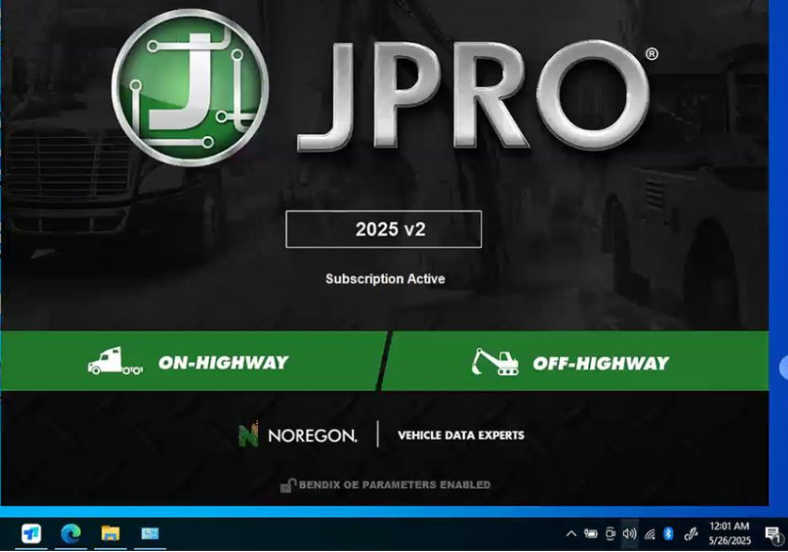
Noregon’s latest update to its JPRO diagnostic software now includes a pre-scan to detect issues that could affect compliance with California Air Resource Board’s (CARB) Clean Truck Check regulation. The 2025 v2 update also offers new coverage for a wide range of vehicles and off-highway equipment, including more than 100 new off-highway OEs and 1,000 new equipment models from major manufacturers such as Deutz, John Deere, Kubota, and Volvo CE.

2025 V2 JPRO DLA+2.0 Diesel JPRO Diagnostic Service Kit Heavy Duty Truck Scanner with software


The CARB Clean Truck Check rule requires almost all heavy-duty vehicles that travel in California to pass emissions inspections using software like Noregon’s Truck Check Up. The new pre-scan feature in JPRO identifies issues that could potentially result in a failed inspection, which allows for proactive repairs. These results are available from JPRO’s Road Worthiness feature, which assesses if a vehicle is ready for operation.

The latest update for Noregon JPRO v2 introduces an exciting feature: CARB pre-scan capability, enhancing the diagnostic process for heavy-duty vehicles. This update allows users to efficiently assess emissions compliance, ensuring that vehicles meet California Air Resources Board standards.

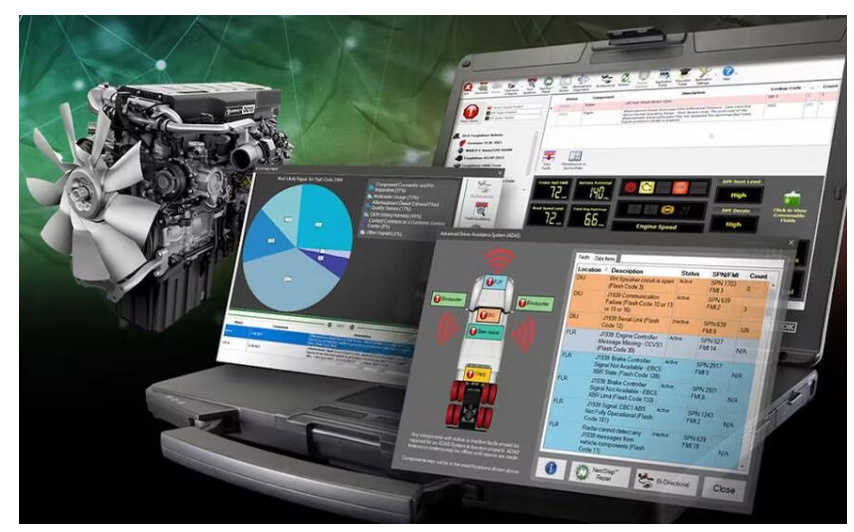
The package includes a second-hand Lenovo T420 laptop pre-installed with JPRO Professional Diagnostic Software, along with a JPRO DLA+ 2.0 Adapter Cable for seamless connectivity. It also features heavy-duty vehicle cables (6-Pin & 9-Pin) and medium-duty Type-B OBDII cables compatible with popular brands such as Ford, GM, Sprinter, Hino, Isuzu, Mack, and Volvo. Additionally, the package comes with a USB cable, a DVD containing the JPRO software and keygen, and an adapter carrying case for convenient storage and transport. This comprehensive toolkit is designed to streamline diagnostics and enhance vehicle maintenance efficiency.

2025年6月24日星期二

Noregon JPRO v2 Update: CARB Pre-Scan and New Coverage


In the ever-evolving world of vehicle diagnostics, staying ahead of the technological curve is crucial for professionals in the automotive industry. The recent update of Noregon’s JPRO v2 software brings exciting new features, including CARB pre-scan capabilities and enhanced vehicle coverage. For those in the field, having the right tools is essential, and with the jpro professional package, you can ensure that your diagnostic work is both efficient and comprehensive.


 What’s New in JPRO v2?


CARB Pre-Scan Feature


One of the most notable additions to the JPRO v2 software is the CARB (California Air Resources Board) pre-scan feature. This functionality allows technicians to perform emissions diagnostics more effectively, ensuring compliance with stringent California regulations. With environmental standards becoming increasingly stringent, having a tool that can quickly identify emissions-related issues is invaluable.


The CARB pre-scan feature provides a detailed analysis of the vehicle's emissions systems, helping technicians pinpoint potential problems before they escalate. This proactive approach not only aids in compliance but also enhances the overall efficiency of repair processes. By integrating this feature, Noregon has positioned JPRO v2 as a must-have tool for any professional working with heavy-duty vehicles that need to meet CARB standards.


 Expanded Vehicle Coverage


In addition to the CARB pre-scan update, JPRO v2 expands its coverage to include more vehicle makes and models. This is particularly beneficial for technicians who work with a diverse fleet of vehicles. The update ensures that users have access to the latest diagnostic protocols and data, improving their ability to diagnose and repair vehicles accurately.


With this expanded coverage, users can diagnose vehicles from major manufacturers, including Ford, GM, Sprinter, Hino, Isuzu, Mack, and Volvo. This versatility makes JPRO v2 an indispensable tool for any workshop that services a variety of medium and heavy-duty vehicles.


The Comprehensive JPRO Package


To fully utilize the capabilities of JPRO v2, you’ll need the right equipment. The Noregon JPRO package includes everything necessary for effective diagnostics:


1. Second Hand Laptop Lenovo T420: The laptop comes pre-installed with JPRO Professional Diagnostic Software, providing you with a powerful platform for vehicle diagnostics.


2. JPRO DLA+ 2.0 Adapter Cable: This essential tool allows for seamless connectivity between the diagnostic software and the vehicle’s onboard systems.


3. Heavy-Duty Vehicle Cables: The package includes Type 2 Vehicle Cables (6-Pin & 9-Pin), which are crucial for connecting to various heavy-duty vehicles.


4. Medium-Duty Type-B OBDII Cables: These cables support diagnostics for Ford, GM, Sprinter, Hino, Isuzu, Mack, and Volvo vehicles, ensuring broad compatibility.


5. USB Cable: This cable facilitates easy data transfer and connectivity.


6. DVD with JPRO Software and Keygen: The included DVD contains the JPRO software and keygen for easy installation and updates.


7. Adapter Carrying Case: A practical carrying case to keep your tools organized and portable.


Why Choose the 2025 JPRO Package?


Investing in the Noregon JPRO package means equipping your workshop with a comprehensive diagnostic toolset. The combination of 2025 JPRO v2 software with the necessary hardware provides an efficient and user-friendly experience. The second-hand Lenovo T420 laptop offers a reliable computing platform, while the variety of cables ensures compatibility with a wide range of vehicles.


Moreover, the CARB pre-scan feature positions you at the forefront of emissions diagnostics, allowing you to tackle one of the industry's most pressing challenges with confidence. With the expanded vehicle coverage, your ability to service different makes and models increases, broadening your potential customer base.


In today’s fast-paced automotive industry, having the right diagnostic tools is essential for success. The Noregon JPRO v2 update , featuring CARB pre-scan capabilities and enhanced vehicle coverage, is a game-changer for professionals working with heavy-duty and medium-duty vehicles. Coupled with the comprehensive JPRO package, you can ensure that your diagnostic work is thorough, efficient, and compliant with the latest regulations. Embrace the future of vehicle diagnostics with 2025 JPRO v2 and elevate your workshop’s capabilities to new heights.

2024年5月21日星期二

A Powerful Scania VCI3 Interface and Cables


The Scania VCI3 is a cutting-edge tool developed by Scania, a leading manufacturer of trucks, buses, and heavy-duty engines. This advanced interface, when combined with the latest software package, offers a comprehensive solution for maintaining Scania vehicles. With its powerful features and unmatched compatibility, the VCI3 sets a new standard in diagnostic tools. In this article, we will explore the capabilities of the Scania VCI3 interface and cables and the benefits it offers to both technicians and vehicle owners.


Unparalleled Compatibility and Functionality:

The Scania VCI3 interface is equipped with Full Chip technology, enabling it to access all Scania diagnostic systems operating on CAN networks. This means that it can seamlessly communicate with all Scania trucks, buses, and heavy vehicles, as well as heavy-duty engines. Whether you are dealing with a new model or an older vehicle, the VCI3 ensures that you can perform in-depth diagnostics and comprehensive maintenance tasks.


Wireless Connectivity for Unrestricted Diagnostics:

One of the key features of the Scania VCI3 interface is its integration of Wi-Fi connectivity. Unlike traditional diagnostic tools that rely on physical cables, the VCI3 allows technicians to perform complex diagnostics and detailed maintenance without any constraints. This wireless capability not only improves operational efficiency but also allows for diagnostics in different working environments. Technicians can now move around freely while diagnosing the vehicle, enhancing their productivity and convenience.


Enhanced Performance and System Requirements:

To ensure optimal performance, the Scania VCI3 interface has certain hardware and software requirements. It is recommended to use a notebook with at least 3 GB of RAM and a 24 GB HDD, with SSD being the preferred option. Additionally, a minimum of an I5 2 GHz Processor is required. The compatible operating systems include Windows 7, 8, or 10 Pro (64x & 32x bits). To utilize the full potential of the VCI3 interface, it is essential to have Scania SDP3 version 2.18 or higher as the diagnostic software.


Specialist Training for Maximum Utilization:

To maximize the capabilities of the Scania VCI3 Diagnostic Interface and SDP3 software, it is highly recommended that users undergo specialist training. This training provides an in-depth understanding of both the VCI3 interface and SDP3 software. It covers operational details, functionalities, and best practices for effective diagnosis and maintenance of Scania vehicles. By attending this training, technicians can fully utilize the capabilities of the VCI3 interface, ensuring accurate diagnosis and efficient maintenance.


Conclusion:

The Scania VCI3 interface and cables revolutionize the diagnostic experience for Scania vehicles. With its unmatched compatibility and functionality, wireless connectivity, and enhanced performance, the VCI3 sets a new benchmark for diagnostic tools in the automotive industry. By combining the VCI3 interface with the Scania SDP3 software, technicians can perform comprehensive diagnostics and maintenance tasks with ease. However, to fully harness the potential of the VCI3, it is crucial to undergo specialist training. By investing in the Scania VCI3 interface and cables, technicians and vehicle owners can ensure the longevity and reliability of their Scania vehicles.


2023年1月9日星期一

John Deere Service Advisor Software v5.3 Coverage


In the world of agricultural machinery and equipment, efficiency and precision are paramount. For technicians and service providers, having access to the right tools can make all the difference in delivering high-quality service. One such tool that has gained significant traction is the John Deere Service Advisor Software v5.3. This powerful software offers a comprehensive suite of features designed to enhance the service experience for John Deere equipment. In this blog post, we'll delve into what the v5.3 coverage entails and how it benefits users.


John Deere Service Advisor Software is a diagnostic and service tool that provides technicians with the information necessary to perform maintenance, repairs, and troubleshooting on John Deere machinery. The software integrates technical information, service manuals, parts catalogs, and diagnostic tools into one user-friendly platform, allowing for a streamlined service process.


Key Features of v5.3 Coverage


The v5.3 release of the Service Advisor Software comes with several enhancements and updates that improve its usability and effectiveness:


1. Expanded Machine Coverage: One of the most significant upgrades in v5.3 is the expanded coverage of John Deere equipment. The software now supports a wider range of models, including both older and newer machines. This is essential for service providers who work with a diverse fleet of equipment.


2. Enhanced Diagnostic Capabilities: The software provides advanced diagnostic tools that allow technicians to quickly identify issues and troubleshoot problems. With real-time data and comprehensive diagnostic tests, service professionals can improve their repair times and accuracy.


3. User-Friendly Interface: The v5.3 update includes a more intuitive interface, making it easier for users to navigate through the software. This improvement reduces the learning curve for new users and increases efficiency for experienced technicians.


4. Integrated Service Manuals: Access to up-to-date service manuals is crucial for any technician. The v5.3 version includes integrated manuals that provide step-by-step instructions for repairs and maintenance tasks, ensuring that technicians have the right guidance at their fingertips.


5. Parts Lookup Functionality: Finding the correct parts for repairs can be time-consuming. The software offers robust parts lookup functionality, allowing users to quickly locate and order parts directly from the platform, reducing downtime for equipment.


6. Improved Reporting Tools: The software also features enhanced reporting tools that allow service managers to track service history, analyze performance, and generate reports. This data is invaluable for making informed business decisions and improving service efficiency.


Benefits of Using John Deere Service Advisor Software v5.3


Implementing the John Deere Service Advisor Software v5.3 in your service operations can lead to several benefits:


- Increased Efficiency: With faster diagnostics and streamlined access to service information, technicians can complete repairs more quickly, leading to improved turnaround times.


- Cost Savings: By reducing the time spent on diagnostics and repairs, service providers can lower labor costs and increase profitability.


- Enhanced Customer Satisfaction: Quick and accurate service translates to happier customers. With improved service capabilities, businesses can build strong relationships with their clients.


- Future-Proofing Your Operations: As new equipment is released, having access to the latest software updates ensures that your service team is equipped to handle new challenges.


John Deere Service Advisor Software v5.3 is a game-changer for technicians and service providers in the agricultural industry. With its expanded coverage, advanced diagnostic tools, and user-friendly interface, it empowers users to deliver high-quality service efficiently. For businesses looking to enhance their service operations, investing in this software could be a pivotal move toward achieving greater success in the competitive landscape of agricultural equipment service.


As John Deere continues to innovate and improve its offerings, staying up-to-date with the latest software releases will be essential for any service provider dedicated to excellence.


John Deere Service Advisor 5.3.225 (replaces 5.2) Offline 2023 Construction and Forestry Equipment